The General section holds site-wide settings that don’t belong to one area: link underlines, how the theme’s CSS is output, smooth scrolling and the icon type. This guide also covers translations, AMP, widgets and a few admin tweaks.
Most settings are free. Dynamic CSS Print Method and Smooth scroll need GP Premium’s General module.
Appearance → Customize → General
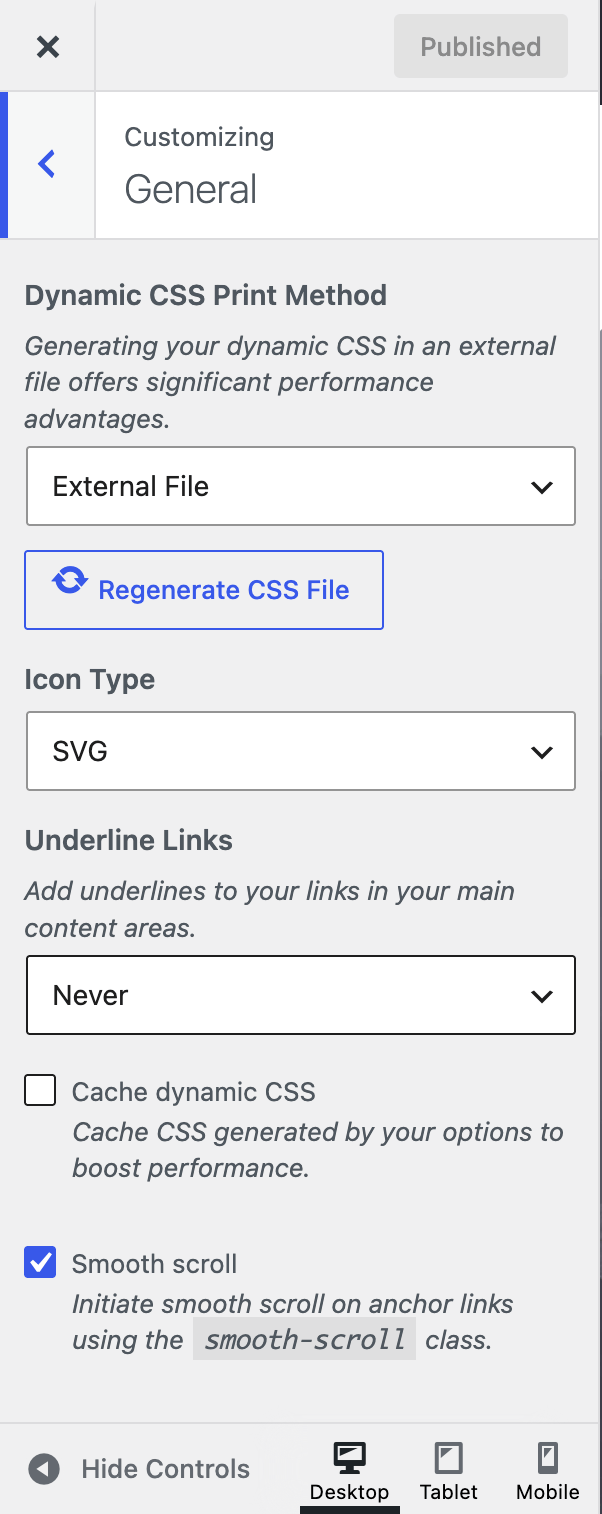
Settings
- Icon Type — SVG (default) or Font. See Typography › Icon type.
- Underline Links — when links in content are underlined: Always (default), On hover, Not on hover or Never.
- Use dynamic typography system — only on sites still using the old typography; see Switching from legacy typography.
Cache dynamic CSS
Many Customizer options generate CSS. With Cache dynamic CSS on (default), GeneratePress saves that CSS in the database instead of building it on every page load — a real speed gain. The cache refreshes whenever you publish Customizer changes.
Dynamic CSS Print Method
Requires GP Premium — General module.
- Inline Embedding (default) — prints the dynamic CSS in each page’s
<head>. - External File — writes it to a CSS file that browsers can cache. Useful on sites with many repeat visitors; the file regenerates when you publish Customizer changes.
Combine CSS
Older sites still using the float layout can combine the theme’s stylesheets into one file with Combine CSS. The option is hidden on flexbox sites (all new sites since GeneratePress 3.0), which already load a single stylesheet. See Switching from floats to flexbox.
Smooth scroll
Requires GP Premium — General module.
Tick Smooth scroll, then add the smooth-scroll class to any link to an anchor on the page. The page glides to the anchor instead of jumping, and allows for the sticky navigation so the target isn’t hidden.
- Regular links — add the class to the link:
<a class="smooth-scroll" href="#my-section">My section</a>. In a block, addsmooth-scrollunder Advanced → Additional CSS class(es). - Menu items — add
smooth-scrollto the item’s CSS Classes.
To change the speed, see the recipe.
Around the site
Customizer shortcuts
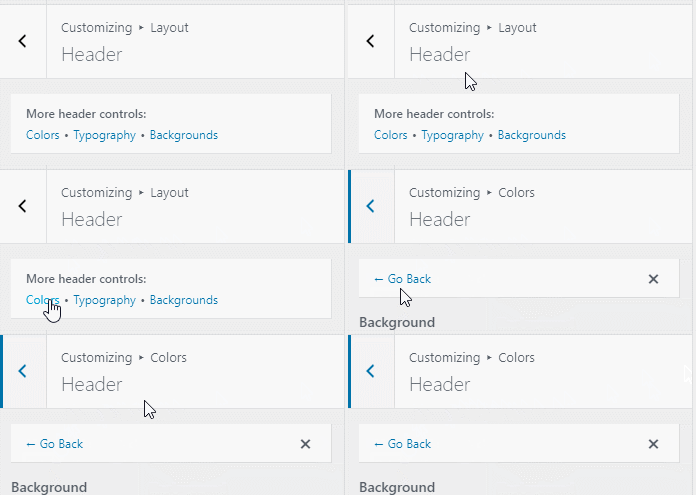
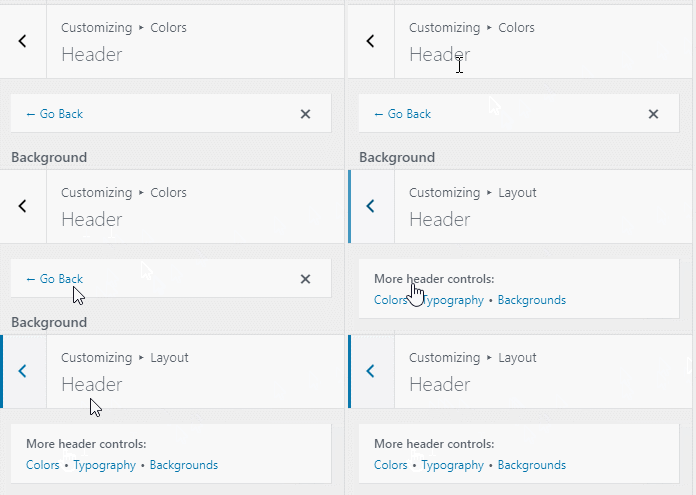
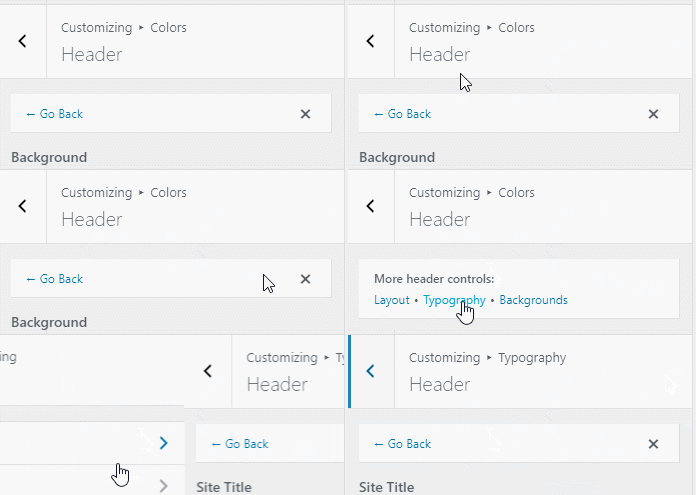
Some Layout sections show shortcut buttons at the top that jump to the related settings elsewhere — for example from Layout → Header to the header’s background image (GP Premium Backgrounds module). Sites still using the legacy colour and typography settings also get shortcuts to those sections. Use the back arrow to return. On sites using the current Colors and Typography sections without the Backgrounds module, no shortcuts appear. To turn them off, use generate_disable_customizer_shortcuts.
Translations
GeneratePress translations come from WordPress.org. Once a language is 95% approved, WordPress installs it automatically (or click Update Translations under Dashboard → Updates). To use a less complete translation:
- On the translation site, choose your language, then GeneratePress, and click Export at the bottom.
- Name the file
generatepress-xx_XX(for examplegeneratepress-es_ES). - Upload it to
wp-content/languages/themesby FTP or your host’s file manager.
GP Premium translations are on translate.generatepress.com. Choose your language, click Export, and upload the file (already correctly named) to wp-content/languages/plugins.
AMP compatibility
To use GeneratePress with the official AMP plugin, install the AMP + GeneratePress companion plugin: download the .zip and upload it under Plugins → Add New Plugin → Upload Plugin.
Grouping widgets
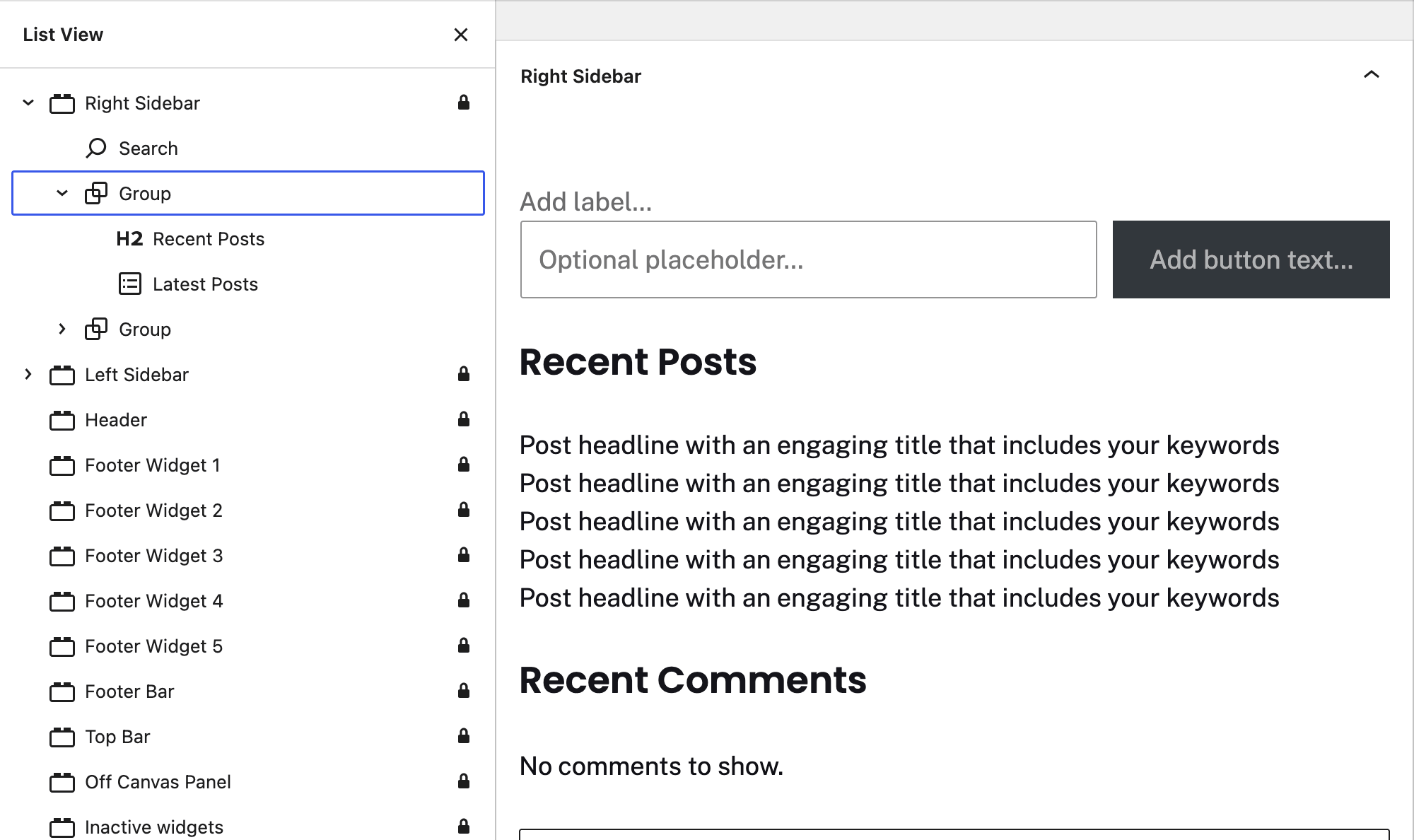
In block-based widget areas, each block you add becomes its own widget. To keep several blocks together in one widget — a heading and a list, say — wrap them in a Group block.
Recipes & customizations
Recipes add code as explained in Adding Custom Code.
Smooth scroll speed
The scroll duration in milliseconds (generate_smooth_scroll_duration):
add_filter( 'generate_smooth_scroll_duration', function() {
    return 800;
} );
To apply smooth scroll to other elements without adding the class, see generate_smooth_scroll_elements.
Use the classic widgets screen
To go back to the classic widgets screen instead of blocks:
add_filter( 'use_widgets_block_editor', '__return_false' );Hide the GeneratePress dashboard
On a multisite network, limit Appearance → GeneratePress to super admins with generate_dashboard_page_capability. Return any capability to choose who can see it:
add_filter( 'generate_dashboard_page_capability', function() {
    return 'manage_sites';
} );
Remove all GeneratePress Customizer options
To hide every GeneratePress and GP Premium option from the Customizer — for example on a client site — while keeping your saved settings:
add_action( 'after_setup_theme', function() {
    remove_action( 'customize_register', 'generate_customize_register', 20 );
    remove_action( 'customize_register', 'generate_backgrounds_customize', 999 );
    remove_action( 'customize_register', 'generate_backgrounds_secondary_nav_customizer', 1000 );
    remove_action( 'customize_register', 'generate_blog_customize_register', 99 );
    remove_action( 'customize_register', 'generate_colors_secondary_nav_customizer', 1000 );
    remove_action( 'customize_register', 'generate_colors_wc_customizer', 100 );
    remove_action( 'customize_register', 'generate_copyright_customize_register' );
    remove_action( 'customize_register', 'generate_menu_plus_customize_register', 100 );
    remove_action( 'customize_register', 'generate_secondary_nav_customize_register', 100 );
    remove_action( 'customize_register', 'generate_spacing_customize_register', 99 );
    remove_action( 'customize_register', 'generate_spacing_secondary_nav_customizer', 1000 );
    remove_action( 'customize_register', 'generate_smooth_scroll_customizer', 99 );
    remove_action( 'customize_register', 'generate_premium_customizer_shortcut_controls', 100 );
    remove_action( 'customize_register', 'generate_slideout_navigation_color_controls', 150 );
    remove_action( 'customize_register', 'generate_slideout_typography_customizer', 150 );
    remove_action( 'customize_register', 'generate_typography_wc_customizer', 100 );
    remove_action( 'customize_register', 'generatepress_woocommerce_customize_register' );
}, 1000 );
All options
| Setting | Section | Choices | Default | Requires | Customizer option |
|---|---|---|---|---|---|
| Icon Type | General | SVG / Font | SVG | — | generate_settings[icons] |
| Underline Links | General | Always · On hover · Not on hover · Never | Always | — | generate_settings[underline_links] |
| Combine CSS | General | On / Off (float layout only) | On | — | generate_settings[combine_css] |
| Cache dynamic CSS | General | On / Off | On | — | generate_settings[dynamic_css_cache] |
| Dynamic CSS Print Method | General | Inline Embedding / External File | Inline Embedding | GP Premium — General | generate_settings[css_print_method] |
| Smooth scroll | General | On / Off | Off | GP Premium — General | generate_settings[smooth_scroll] |
Settings can be changed in code with the option_generate_settings filter.
Related
- Typography — icon type and dynamic typography
- Sticky Navigation — works with smooth scroll
- Legacy Features — floats to flexbox
- Developer reference: Admin and capabilities filters, Scroll and back to top filters, Settings defaults filters