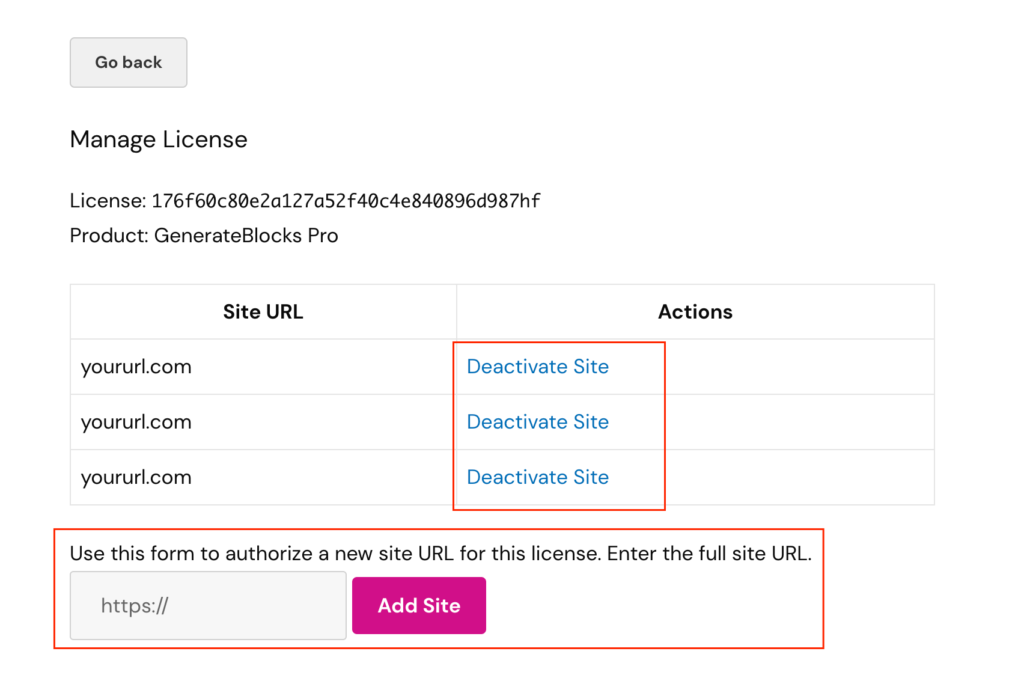
The manage license feature allows you to authorize a new site URL for using the premium license or deactivate a site from using the license remotely through your account page.
To find the manage license page, go to your account page first.
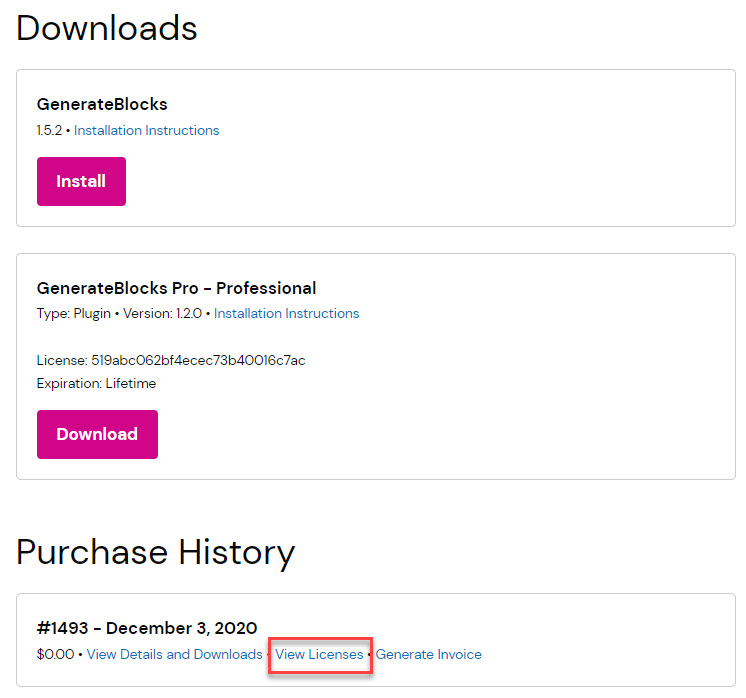
Then click View Licenses under the Purchase History:
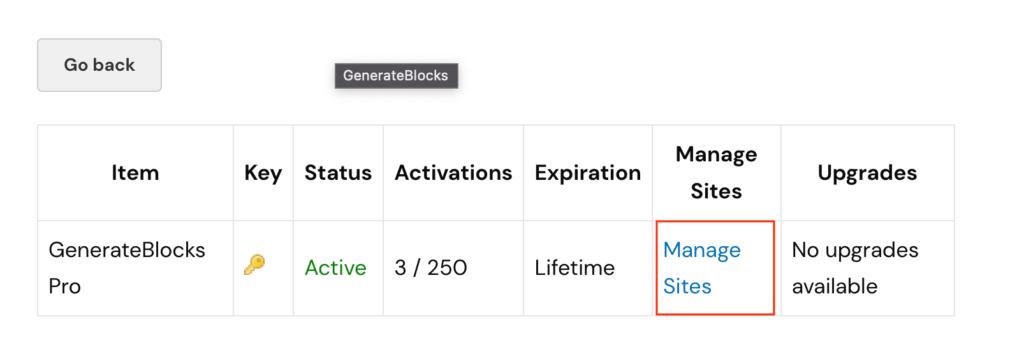
From there, click Manage Sites:
From there, you can deactivate the license for a specific site or authorize the use of the license for a new site:
Upgrading your License
If you already own a license key, you can choose to upgrade to one of the larger plans in your account.
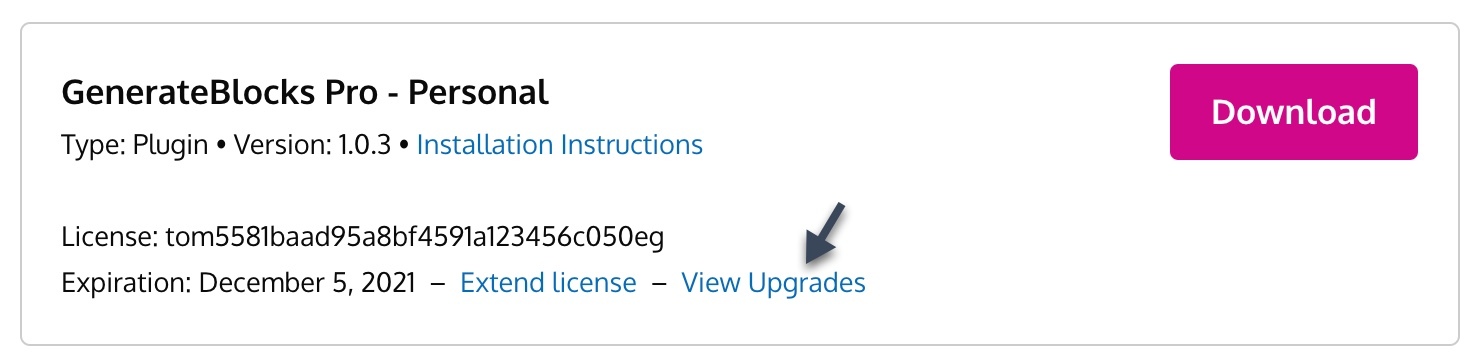
The cost of this upgrade is the current cost of the higher license minus the amount you paid originally. This does not include any renewals you’ve paid for.
For example, if you paid $39 for your license, and the professional license is $99, you would pay $60 for your upgrade.
Note: Upgrading your license key does not extend or renew it. You will retain your original expiration/renewal date. Upgrading and extending/renewing are two separate things with different costs associated with them.
Renewing your License
Renewing your license key gives you continued access to GenerateBlocks Pro downloads and our premium support.
If your license key is expired, you can renew it by accessing your account and clicking the *Renew now or Renew license links.*
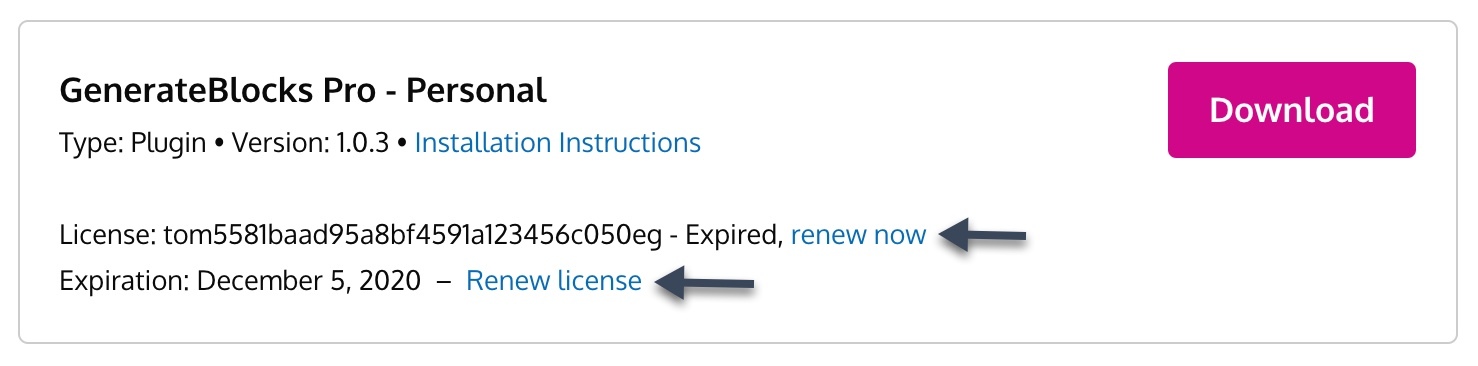
If your license hasn’t expired yet, but you want to extend it by a year, you’ll see an Extend license link instead.
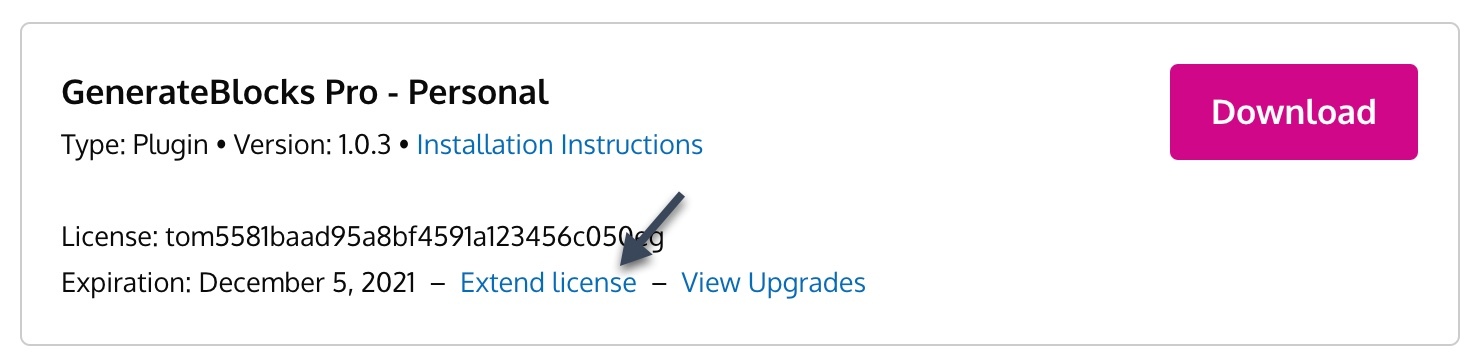
Extending your license will extend it one year from the expiration date.
Extending an active subscription
Active subscriptions are not able to be extended or manually renewed. If you wish to extend your license key, you will need to cancel your current subscription first. This will then allow you to extend the license and create a new subscription.
Generating Your Invoice
Once you purchase, you have the ability to generate your own invoice from inside your account.
First, login to your account here.
Then, click the Generate Invoice link in your Purchase History.
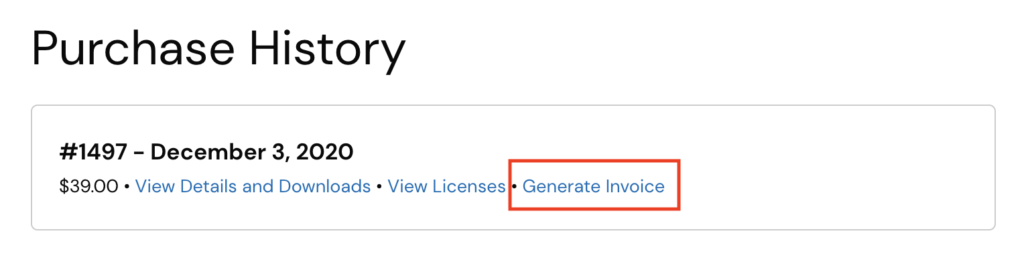
From there, you can fill out all of your required information and generate your invoice.
License Key Activation Issues
So you’ve installed GB Pro, and now you’re trying to activate your license so you can receive automatic updates.
You add your license key to the field, and click the “Update” button, but your license key doesn’t activate.
If you don’t get a specific error, this can happen when your hosting isn’t allowing external communication with other web servers.
To fix this issue, please contact your host and ask them to allow your WordPress installation to communicate with https://generateblocks.com using the wp_remote_post function.
They may have to turn PHP cURL on.