GenerateBlocks Pro 2.8.0+
The Design workspace is where you build and manage your site’s design system in GenerateBlocks Pro. It brings together your design system assets: Global Styles and Design Tokens into dedicated panel that has an additional admin screen for site wider management.
Design System permission
The Design workspace respects your Global Styles and Design Tokens user role permissions. Users without the relevant role won’t see these screens.
Design Panel
A right sidebar panel inside the block editor and the design dashboard. It holds the Global Styles and Design Tokens workspaces as two tabs.
In the editor it can be used for quick, in-context edits while you build a post, a pattern or a template.
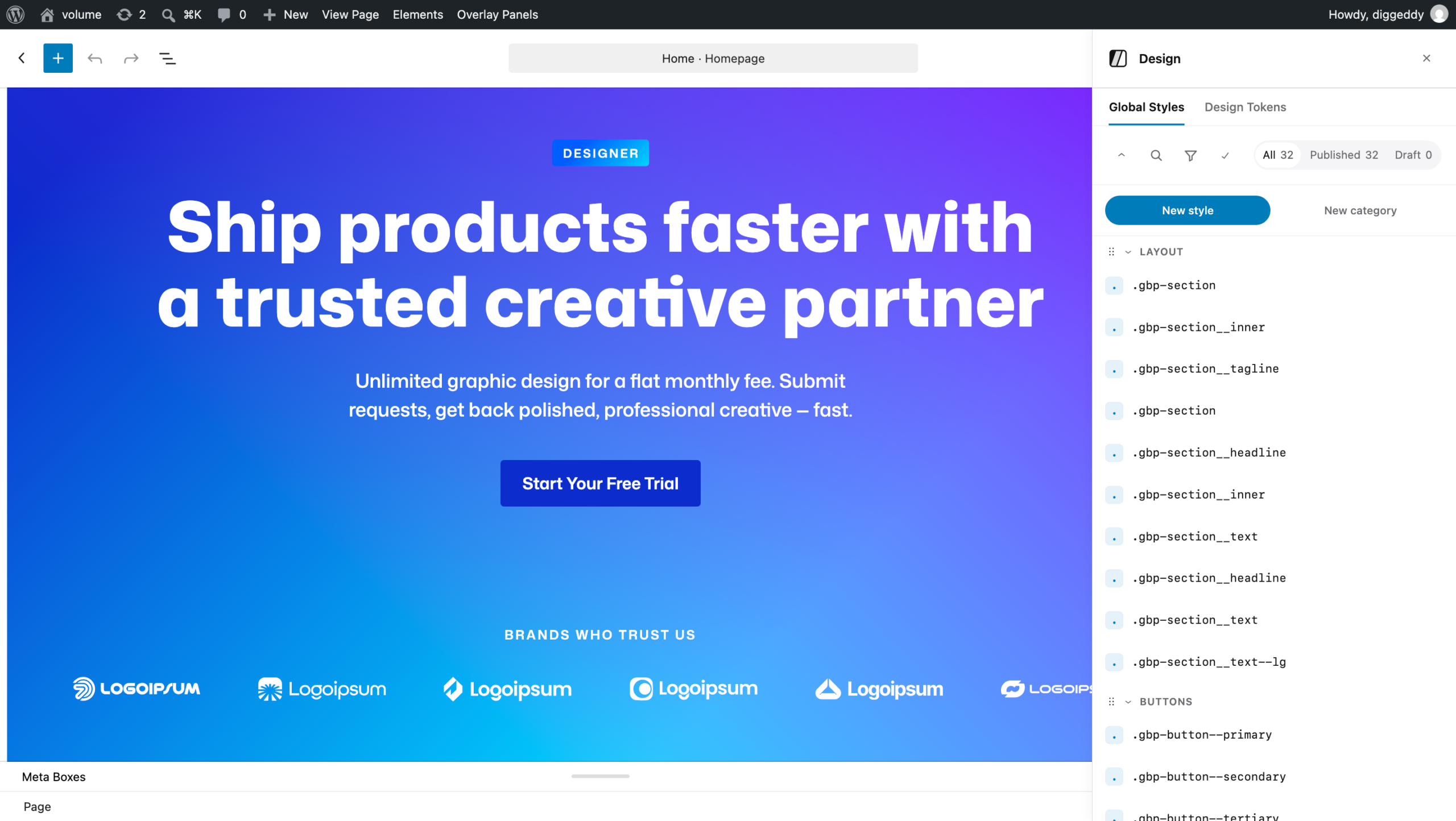
Open the panel in the editor from:
- the top-bar button in the editor header,
- the More menu (⋯), or
- the command palette (“Open Design Panel”).
Design Dashboard
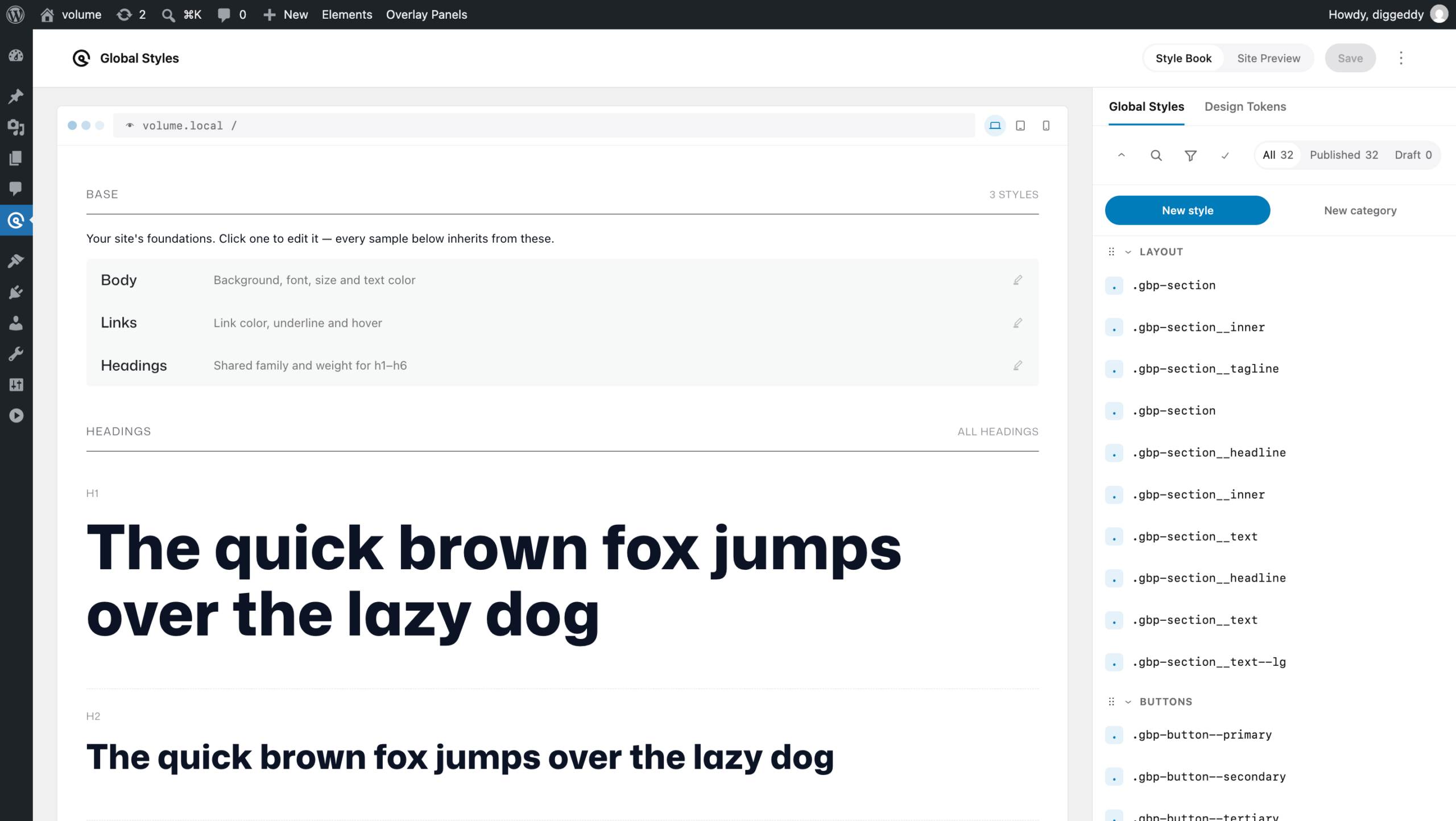
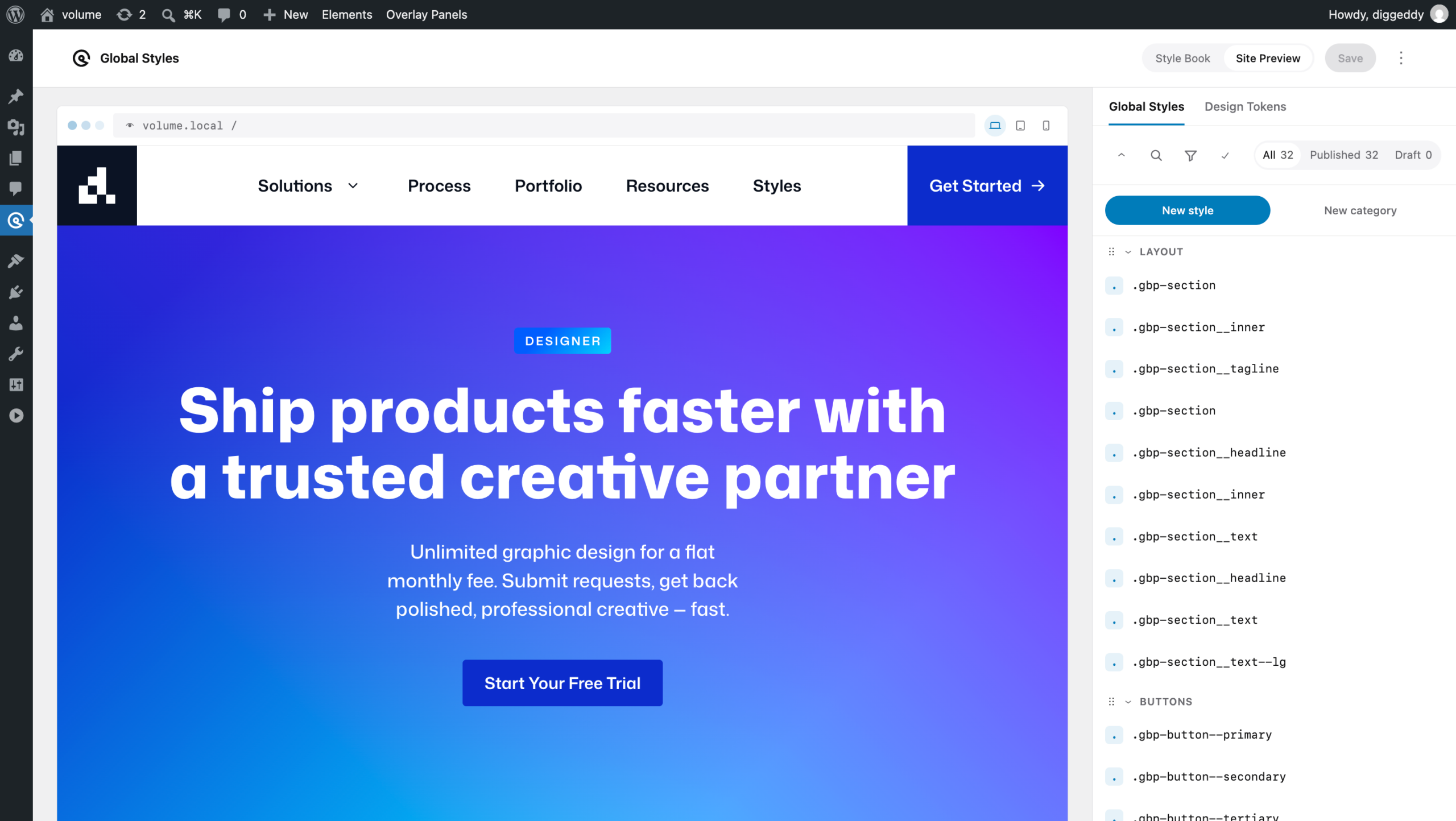
The Design Dashboard is an admin screen under GenerateBlocks → Global Styles / Design Tokens. Best suited for making site-wide changes you can see in a live preview and a curated Style Book.
- Live Preview: your real site rendered next to the Design Panel.
- Style Book: a click-to-edit sheet of HTML element styles.
Style Book
The Style Book is a curated set of base HTML elements ( text, headings, links, lists, forms, tables, media and others ). the elements that are generally referenced as theme styles. Click any element to open and edit its styles in the design panel.
Live Preview
The Live Preview provides a rendered view of your site, which can be navigated like the real site. Whilst in this view you can edit global styles and design tokens and see the style changes before committing them to your site.
Import and Export
The Design Dashboard top-bar options menu allows you to:
- Export Design Tokens
- Export Global Styles ( including Design Tokens )
- Import ( any )